YanBo Practice Portal logo
YanBoPractice Portal
Portal preview

See YanBo in Action

Take a look inside YanBo Practice Portal and see how students can practise 11+ English, Maths, Verbal Reasoning and Non-Verbal Reasoning, learn from clearer explanations, review mistakes and understand progress over time.

Guests can preview the portal here. To experience the tests, progress and review features, please create a free account.

YanBo Practice Portal home page preview

Four key 11+ areas

The portal is organised into clear subject areas so students can practise little and often.

English

Vocabulary, spelling, grammar, punctuation and comprehension practice.

Maths

Number, fractions, shape, measurement, data and reasoning.

VR

Word relationships, codes, logic and sequence patterns.

NVR

Shapes, rotations, reflections and spatial reasoning.

What families can use inside

These previews show the main areas of the portal. Guests can view the walkthrough, while students need a free account to start using the tools.

Student home

A clear learning dashboard

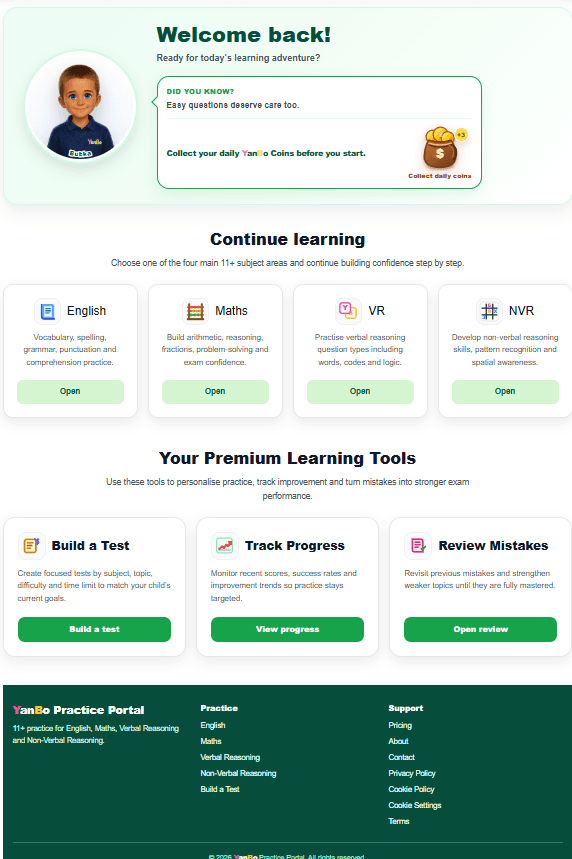
Students start from a friendly home page with subject choices, daily messages, YanBo Coins and quick access to practice and learning tools.

Four main 11+ subject areas
Daily learning message
YanBo Coins reward area
Quick access to Build a Test, progress and review
YanBo Practice Portal protected home page preview
Practice tests

Focused 11+ style questions

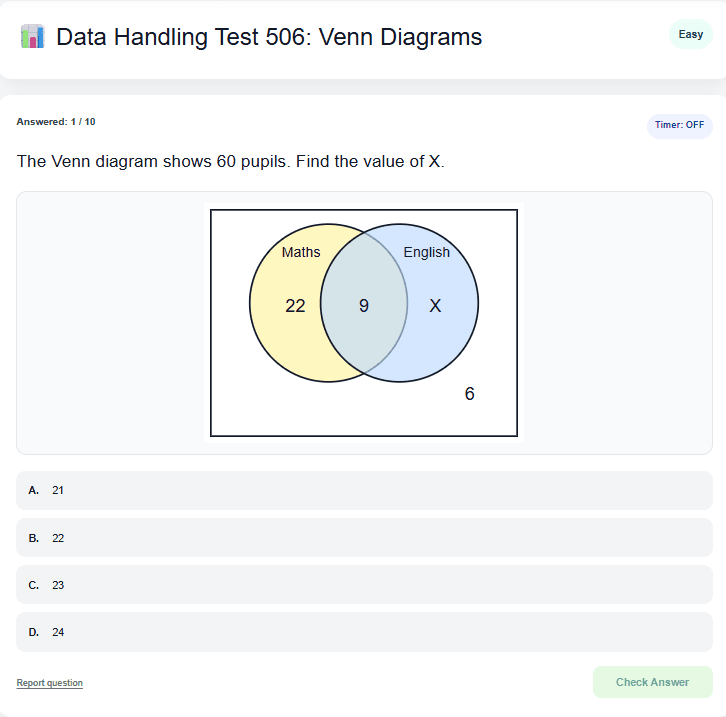
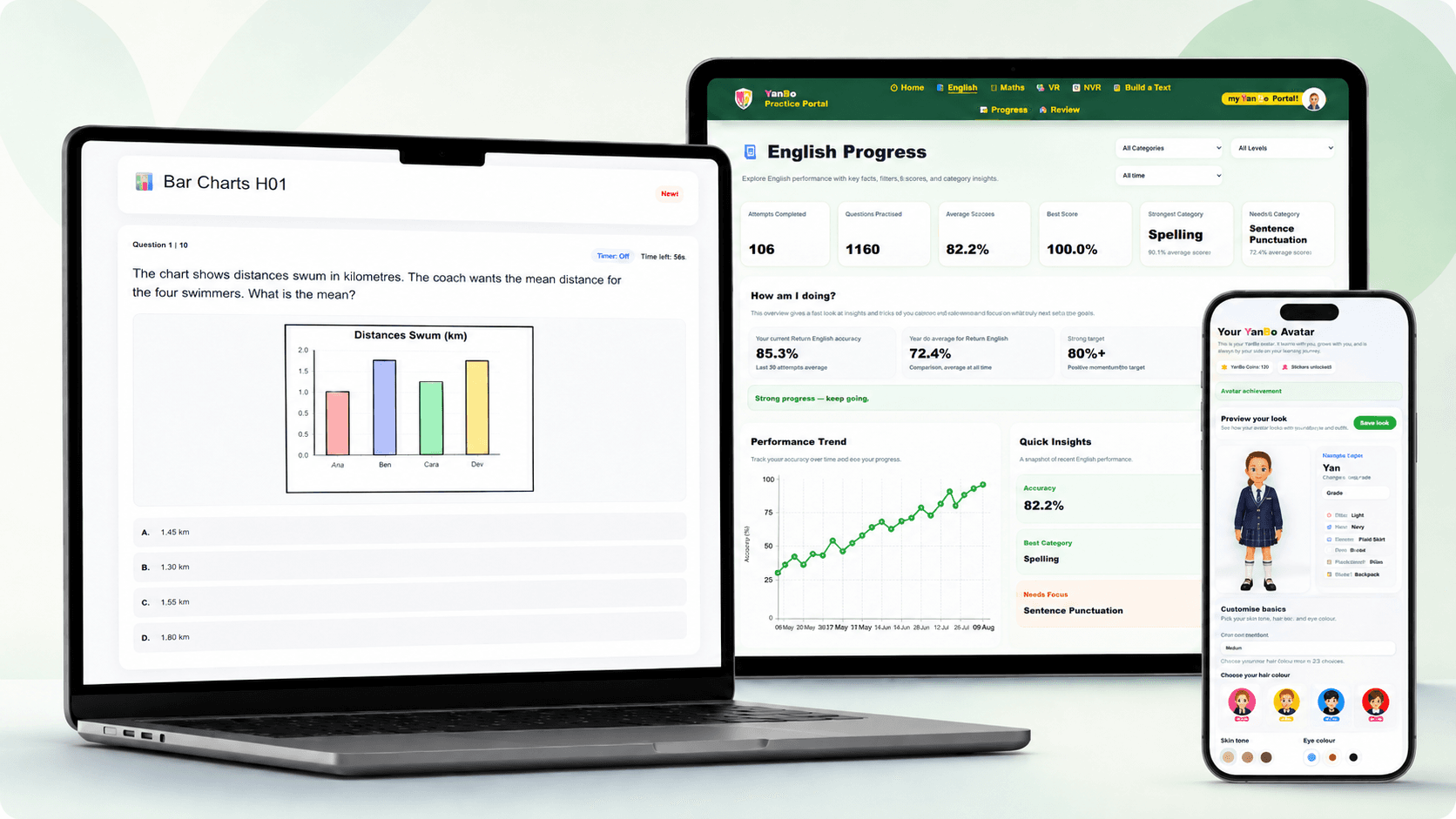
Practice tests show one question at a time with clear answer options. Students can work through questions online and check their answers.

Online practice questions
A, B, C and D answer choices
Optional timer support
Report question button for feedback
YanBo Practice Portal practice test question preview
Build a Test

Create focused practice

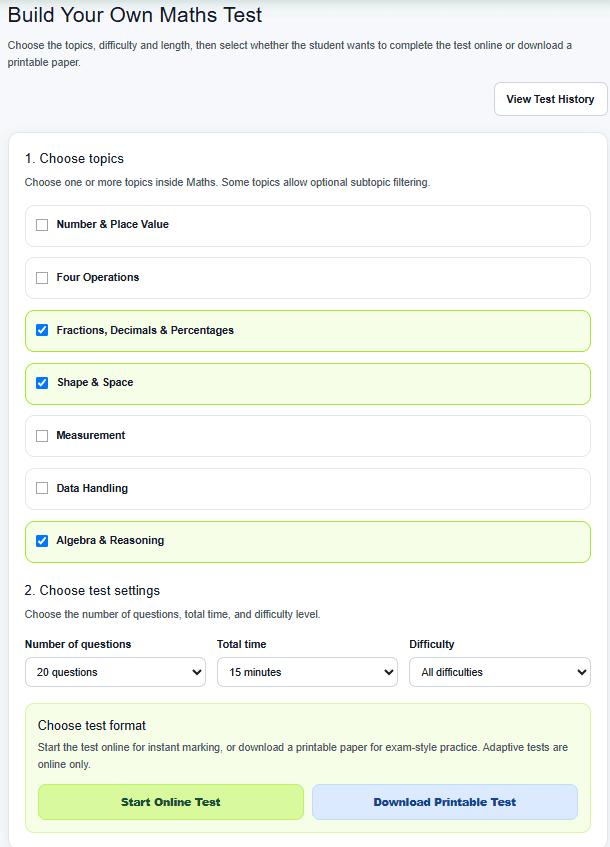
Members can build their own tests by choosing topics, difficulty, length and format. This helps families focus on the areas that need attention.

Choose one or more topics
Select question count and time
Choose difficulty level
Start online or download printable practice
YanBo Practice Portal Build a Test page preview
Progress tracking

Understand progress with “How am I doing?”

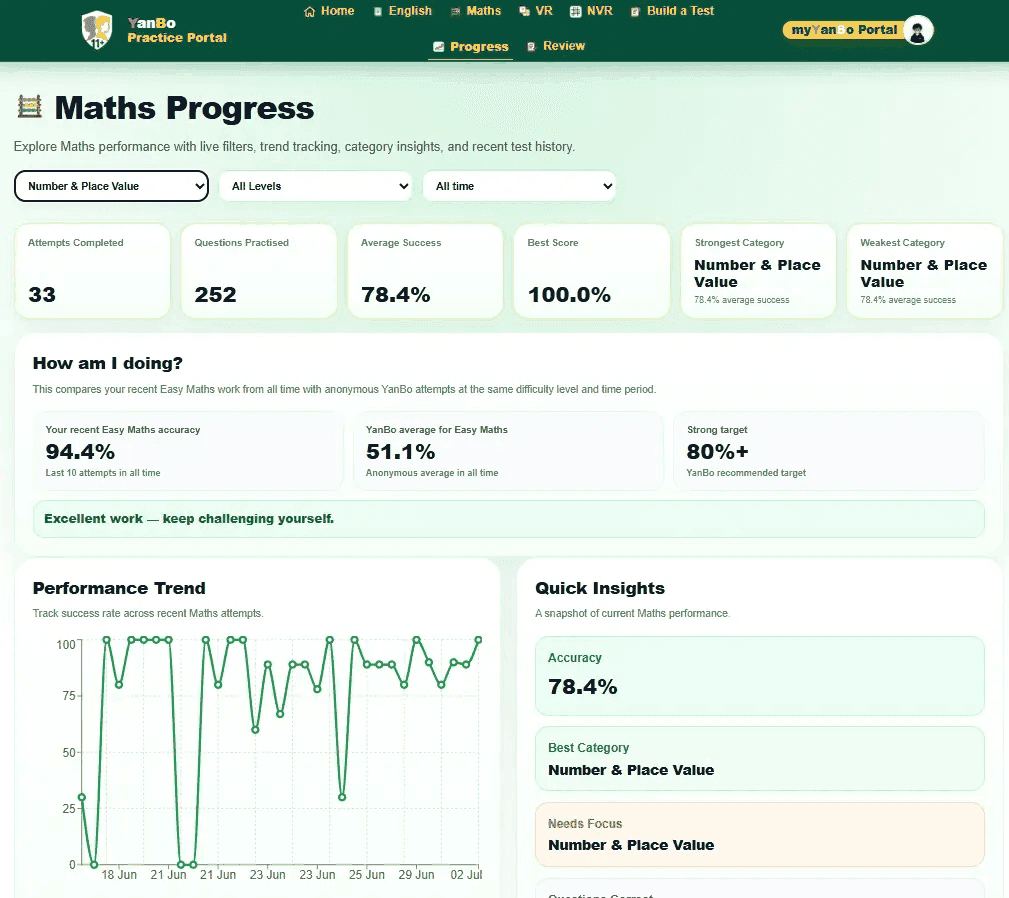
Progress pages now help students compare their recent work with anonymous YanBo attempts at the same subject and difficulty level, without rankings, names or leaderboards.

Recent accuracy by subject and level
Anonymous same-level comparison
No names, rankings or leaderboards
Performance trend and quick insights
YanBo Practice Portal Maths progress page with How am I doing comparison card
Review and explanations

Learn from clearer explanations

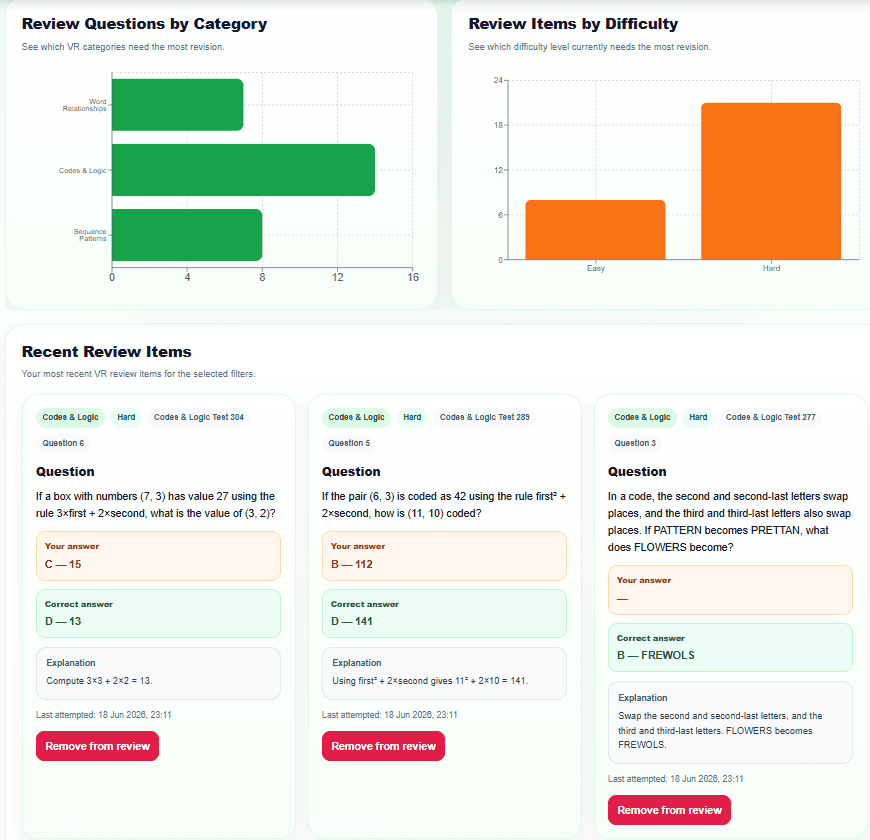
Review pages collect questions that need more practice and show clearer explanations, helping students understand why the correct answer is right.

Review weaker questions
Compare student and correct answers
Read clearer explanations
Retry filtered review items
YanBo Practice Portal review page preview with answer explanations
Avatar Studio

Make practice more personal

Students can customise their YanBo avatar and unlock items using YanBo Coins, adding a fun reward layer to regular practice.

Choose a character
Customise appearance
Unlock wardrobe items
Save a personal avatar
YanBo Practice Portal Avatar Studio preview

Why this helps with 11+ learning

YanBo Practice Portal is designed to make preparation more structured. Students can practise by topic, learn from clearer explanations, review mistakes, track progress and build confidence over time.

🎯

Focused practice

Choose subjects and topics instead of practising randomly.

💡

Learn from explanations

Clearer answer explanations help students understand mistakes instead of just seeing a score.

📈

Understand progress

The “How am I doing?” card gives a gentle same-level comparison without rankings or pressure.

🪙

Keep motivation high

YanBo Coins and avatar rewards make regular practice feel more engaging.

Ready to experience the portal?

Create a free account to try selected practice and see how YanBo Practice Portal can support your child’s 11+ practice, learning and confidence.